Classroom & workshops
In-person training, digitally managed
Some things are best taught face to face. My WhatsApp LMS handles the logistics — scheduling, trainers, attendance and feedback — so your team can focus on teaching.
- Trainers & venues
- QR check-in
- Feedback & certificates
At a glance
How does My WhatsApp LMS manage classroom training?
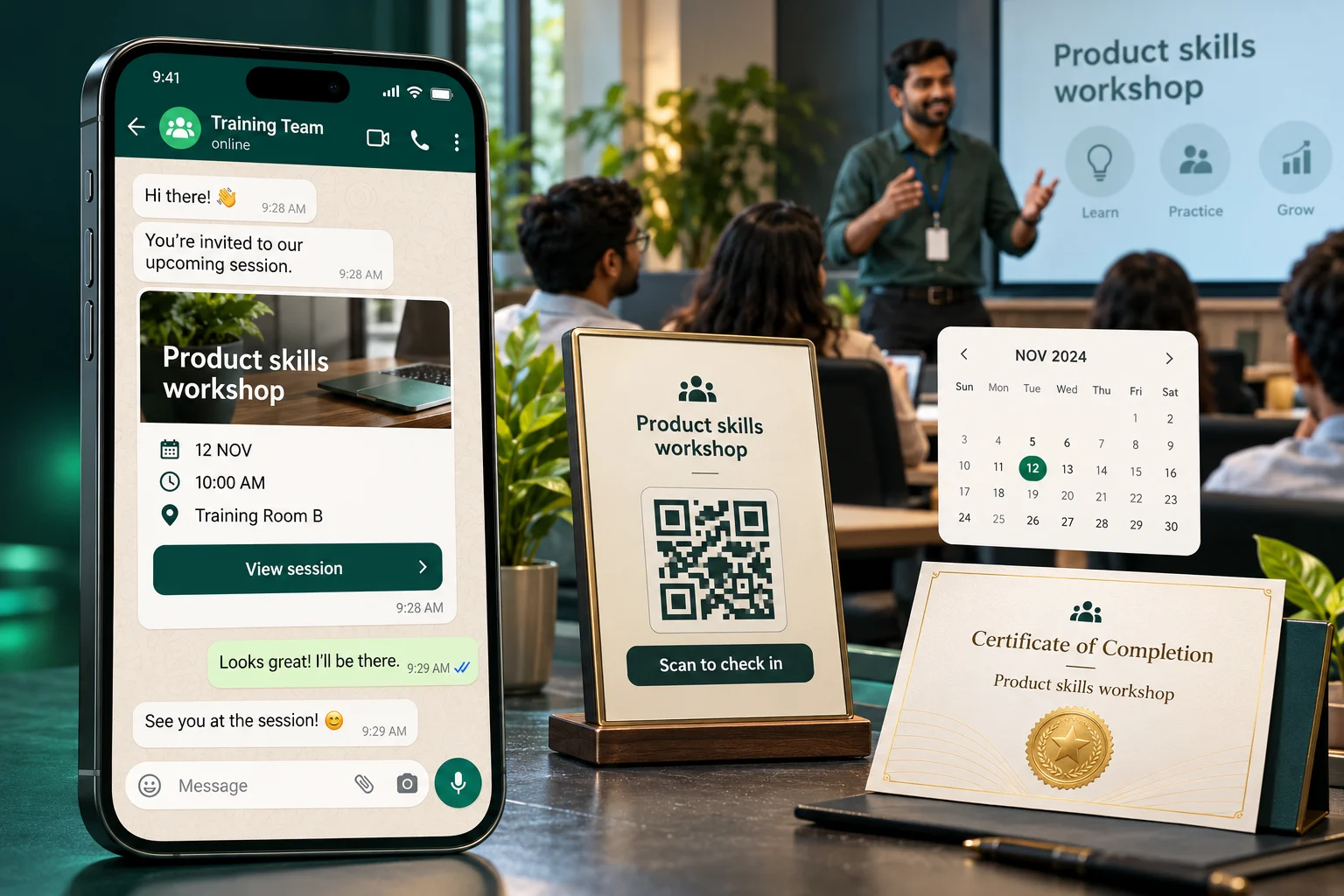
Administrators schedule sessions with trainers, venues and dates, send pre-work on WhatsApp, and generate a QR code for each event. Attendees scan to check in, complete any attached quiz or form, and give feedback afterwards — with attendance and results flowing into workshop, trainer and compliance reports.
- Event calendar with trainers and venues
- Unique QR code check-in per event
- Quizzes and forms attached to sessions
- Workshop, trainer and compliance reports
Event scheduling
Plan workshops and classroom sessions on shared calendars with dates, capacity and session details.
Internal & external trainers
Assign your own trainers or external experts to sessions, and track their feedback scores over time.
Venues & locations
Manage training locations across branches and regions so everyone knows exactly where to be.
QR code attendance
Print or project a QR code — learners scan it on arrival and attendance is recorded instantly, no paper sheets.
Forms & quizzes at the door
Attach surveys, forms or quizzes to the attendance scan and capture responses while the session is fresh.
Workshop & compliance reports
Attendance and outcomes flow straight into workshop, compliance and consolidated reports for auditors.
Blended learning
One program, online and offline
Combine WhatsApp modules with classroom sessions in a single learning journey — My WhatsApp LMS keeps the whole thing connected.
Before
Pre-work on WhatsApp
Send preparatory modules and reading material via WhatsApp so everyone arrives ready.
During
QR check-in & live forms
Capture attendance with a scan and run in-session quizzes or exercises through attached forms.
After
Feedback & certification
Trigger feedback surveys automatically, issue certificates and follow up with reinforcement modules.
Attendance without the clipboard
Scan. Done. Reported.
Paper attendance sheets get lost, spreadsheets get stale. With QR check-in, every scan lands in your reports the instant it happens — along with any forms or quizzes attached to the event.
- Unique QR code per training event
- Attendance visible in real time from the dashboard
- Attach compliance forms or knowledge checks to the scan
- Feeds workshop, trainer and compliance reports automatically
Leadership Workshop
Scan to check in
A closer look at the learner experience
Before, during and after the workshop.
See a classroom invitation, post-session feedback and a completion certificate in the learner's chat.
- Classroom
- Survey
- Certificate
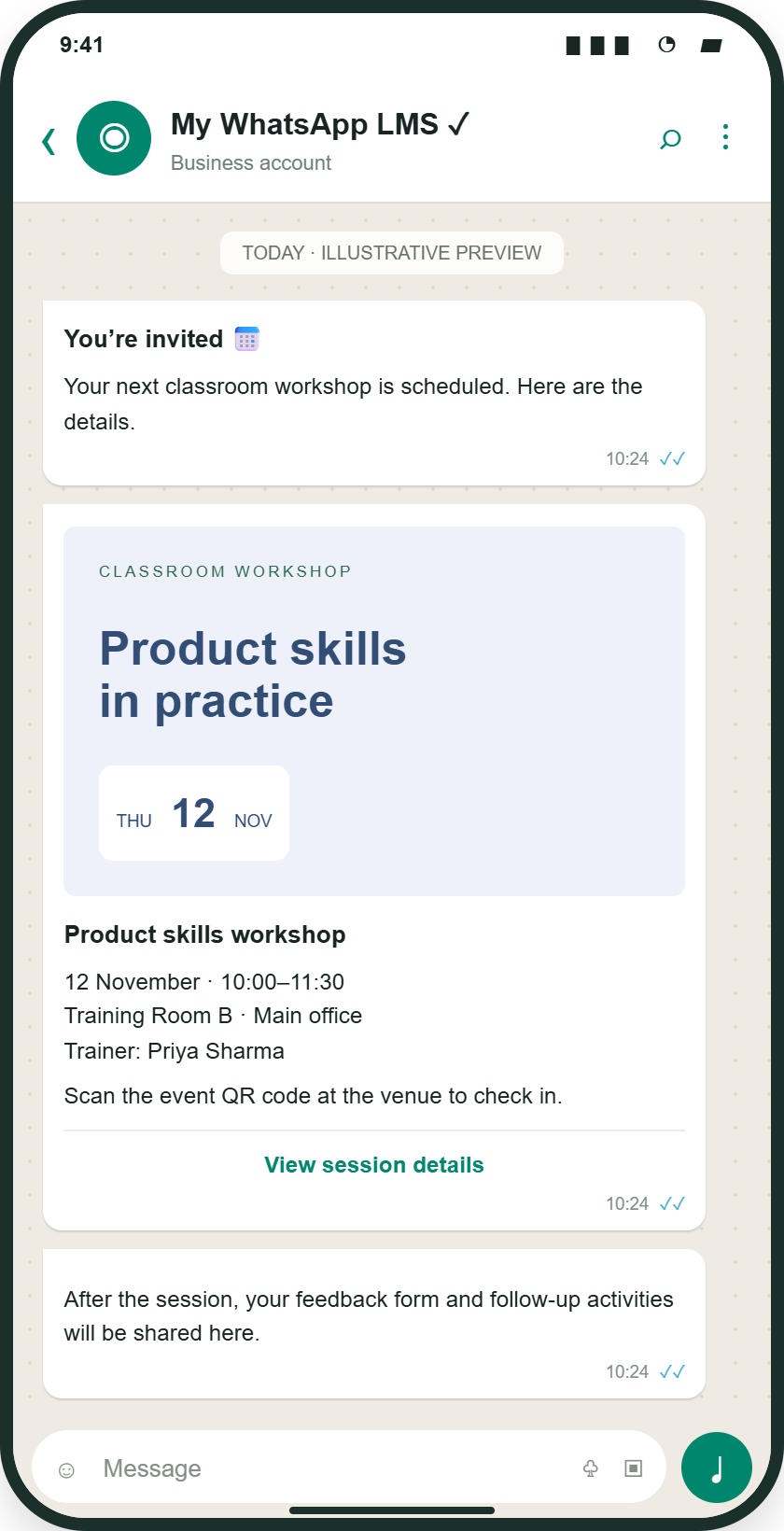
Receive workshop details, scan the event QR code at the venue and complete follow-up activities.
Illustrative mockup · Sample content and results
Linked files and SCORM open in a web learning view.
Plan your rollout
Manage the complete classroom training journey
Classroom training management connects session planning with attendance, assessments, and feedback. It is useful for workshops, onboarding, product demonstrations, and programmes that combine WhatsApp preparation with live instruction and practical exercises.
- 01
Prepare the session
Define the objective, date, trainer, venue, and intended participants. Share preparatory learning through WhatsApp where appropriate, and decide which forms, quizzes, or feedback activities belong with the event.
- 02
Capture attendance and activities
Make the event QR code available to attendees and confirm the check-in process before the session. Review attendance records and collect the attached activities relevant to your programme.
- 03
Review the session outcomes
Use workshop, trainer, and feedback reports to review participation and the learner experience. Follow up on missed sessions or learning gaps, and apply your programme’s certificate criteria where certificates are used.
View launch checklist and reporting details
Example: a warehouse onboarding workshop
Send a short SOP introduction before the workshop, use QR check-in to record participation, and let the trainer supervise practical exercises. Collect a knowledge check and feedback afterwards. Review attendance and assessment results together when deciding who needs additional instruction.
Illustrative workflow with sample content.What your team can measure
| Signal | How to interpret it |
|---|---|
| Event attendance | Records check-in participation. Attendance alone does not establish practical competence or completion of every programme requirement. |
| Attached quizzes and forms | Provides the assessment or information collected for that event, according to the activities configured. |
| Trainer and session feedback | Helps learning teams review the session experience and improve future workshops. |
Prepare for launch
- Confirmed trainer, venue, schedule, and participant details
- A tested QR check-in journey and relevant session activities
- A plan for attendance exceptions, follow-up learning, and certificate criteria
Common questions
Classroom training questions, answered
Does QR attendance prove someone has mastered a practical skill?
No. QR attendance records check-in participation. Practical competence requires the assessment and supervision appropriate to the skill. Review attendance alongside knowledge checks and trainer judgement.
How can classroom training and WhatsApp learning be combined?
Use WhatsApp for preparatory lessons, manage the live session and QR attendance in the classroom workflow, then assign reinforcement learning and collect feedback afterwards. Choose the activities and completion criteria for your programme.
What should administrators check before a QR attendance session?
Confirm event details and participant records, test the QR check-in link and attached activities, and make sure attendees can access the required web journey. Agree how the trainer or administrator will handle check-in exceptions.
How does QR code attendance work?
Each training event gets a unique QR code. Attendees scan it to check in, and their attendance appears in the dashboard and reports immediately — no paper sign-in sheets.
Can we attach a quiz or form to a classroom session?
Yes. Compliance forms, knowledge checks or feedback surveys can be attached to an event, so attendees complete them as part of check-in or right after the session.
More questions (3)
Does it support internal and external trainers?
Yes. Manage internal and external trainers, assign them to sessions, collect trainer feedback, and review results in trainer reports.
What is blended learning in My WhatsApp LMS?
Blended learning combines WhatsApp modules with in-person sessions in one program: pre-work on WhatsApp, QR check-in and live forms in the classroom, then feedback and certification afterwards.
Which classroom reports are available?
Workshop, trainer, trainer-feedback and compliance training reports show attendance, attached form results and feedback for each event.
Still have a question?Talk to our team
Run your next workshop the modern way
Tell us about your team and goals. We will walk you through the workflows that matter to you.