WhatsApp learning
The LMS your learners already opened today
Deliver focused employee training through WhatsApp, with structured courses, assessments, and reporting managed from your administrator dashboard.
- No learner app
- Automated reminders
- Delivery status and learning progress
At a glance
What is WhatsApp learning?
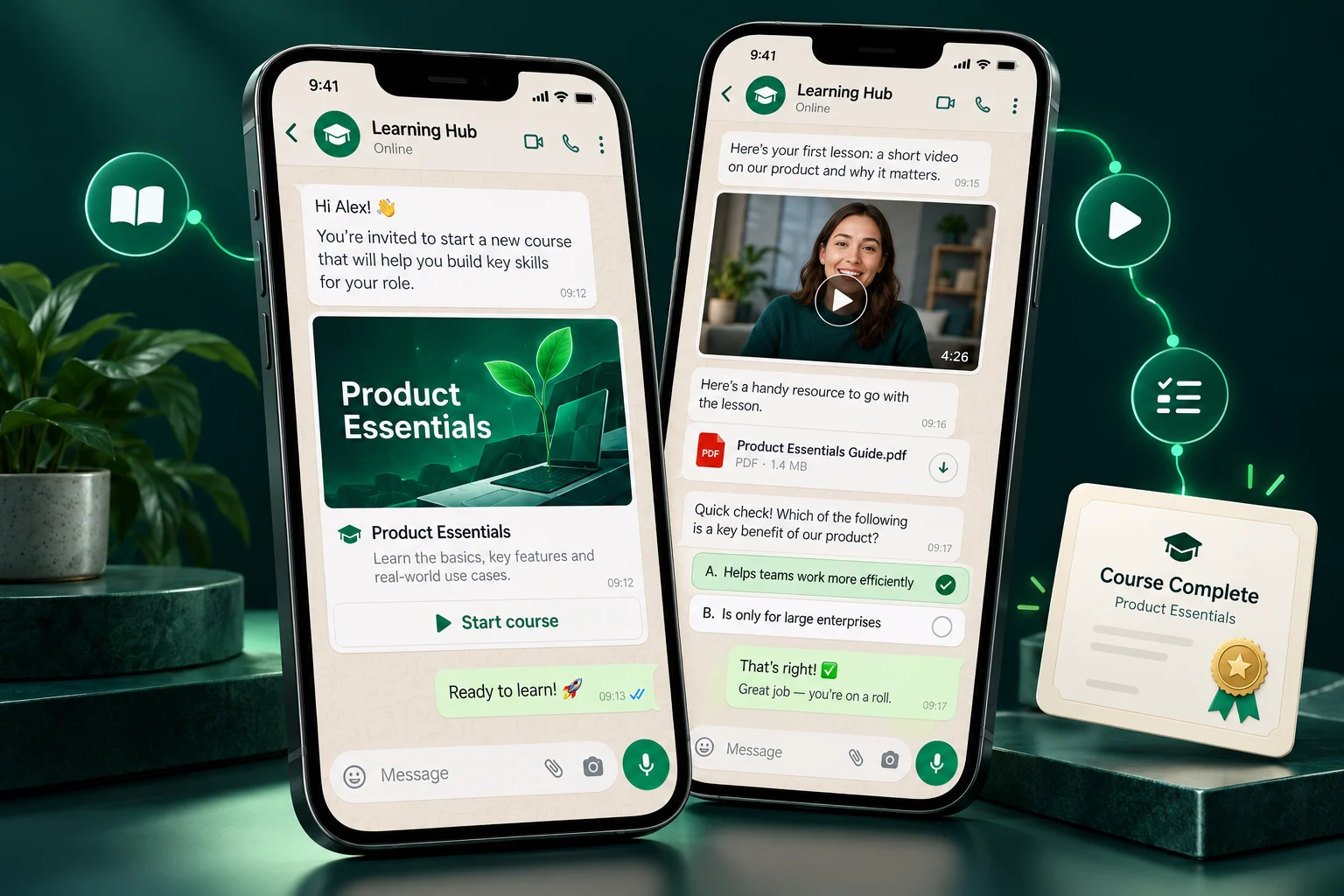
WhatsApp learning is employee training delivered as WhatsApp messages. With My WhatsApp LMS, administrators assign courses from a web dashboard and learners receive lessons, secure videos, quizzes and reminders in WhatsApp, while delivery, progress and completion are tracked automatically.
- Works on any phone that runs WhatsApp
- Lessons, videos, documents and quizzes in chat
- Automatic reminders for unfinished courses
- Sent, delivered and read status per learner
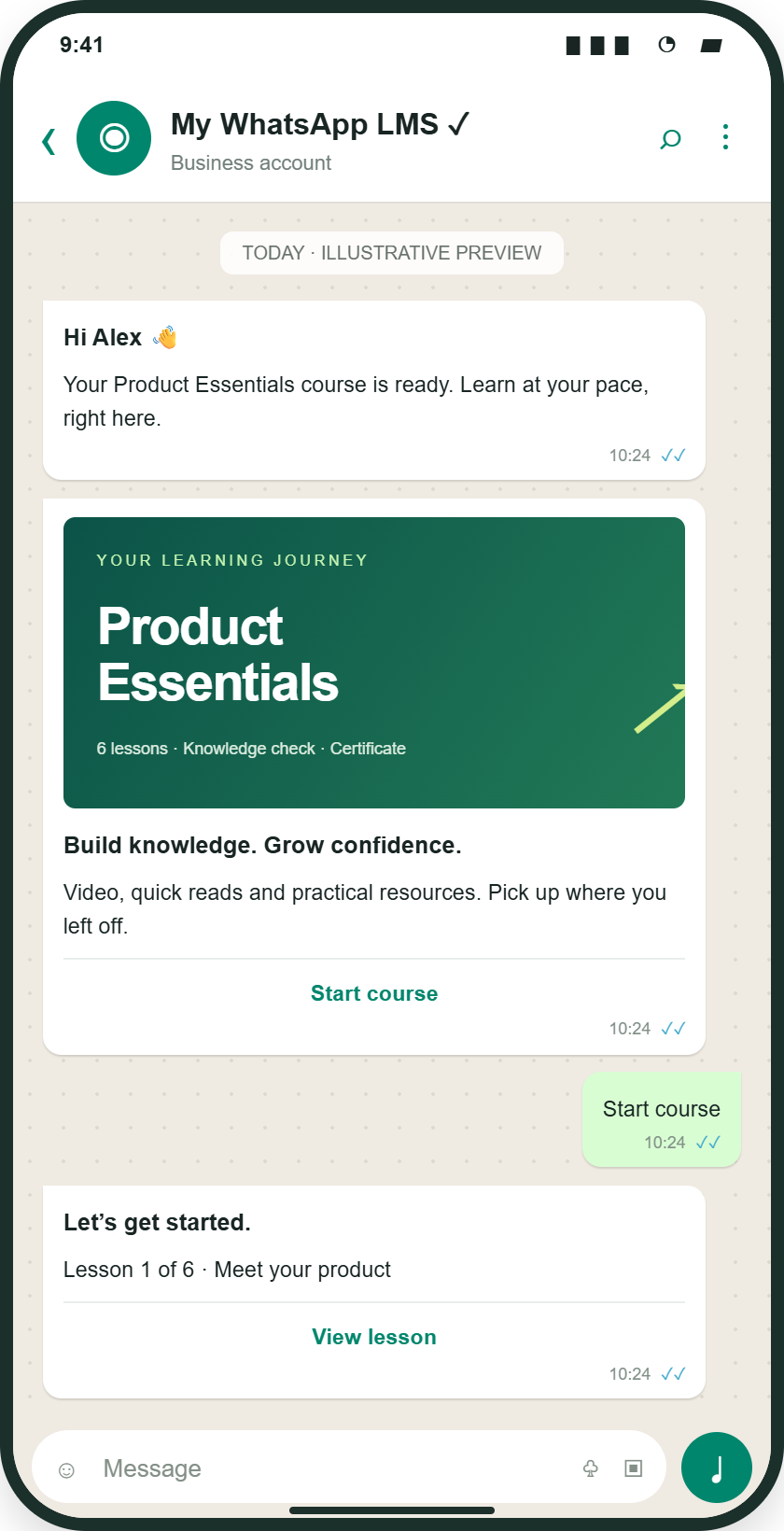
Receive a course invitation, start lessons and continue the assigned learning journey from WhatsApp.
Illustrative mockup · Sample content and results
Linked files and SCORM open in a web learning view.
A complete course, one chat away
Learners receive lessons as messages, watch videos through secure links, answer quizzes and see their progress — all without leaving the conversation. Admins watch it happen live from the dashboard.
- Lessons, videos and quizzes delivered in sequence
- Progress bars and instant quiz feedback in chat
- Certificates issued automatically on completion
- Works on every phone that runs WhatsApp
Why WhatsApp
Built for how people actually learn
Zero friction for learners
No app to download, no password to forget, no portal to bookmark. If a learner can send a message, they can complete a course.
Messages that get opened
Training arrives in the chat app people already check throughout the day, instead of an email inbox or a portal they rarely visit.
Rich lessons in chat
Videos, documents and quiz links land right in the conversation, with secure links that protect your premium content.
Reminders that work
My WhatsApp LMS automatically follows up with learners who haven't started or finished — politely, persistently and without any admin effort.
Bulk sends to groups
Launch a course to a branch, a region or your entire organization in one click using approved message templates.
Delivery you can verify
See sent, delivered and read status per learner, plus video link engagement — so 'I never got it' is never a mystery again.
The workflow
Assign, deliver, remind, measure
Assign
Pick a course and choose learners or groups in the admin dashboard.
Deliver
My WhatsApp LMS sends the course through WhatsApp with lessons, videos and quizzes.
Remind
Automated nudges follow up with anyone who hasn't completed.
Measure
Delivery, engagement and completion metrics update in real time.
“On WhatsApp, completion went from 30% to over 90% in the first quarter. Learners stopped seeing training as a chore.”
Head of L&D, cooperative banking network
Plan your rollout
How to plan employee training on WhatsApp
WhatsApp learning combines a familiar communication channel with structured administration. It suits distributed teams that need focused product updates, onboarding lessons, or process refreshers. Employees receive learning messages while administrators manage assignments and review progress in the LMS.
- 01
Prepare the audience and lesson
Choose one learning objective, review the content, and confirm learner details and groups. Prepare approved WhatsApp message templates and the sending-account configuration before launching delivery.
- 02
Send learning and follow up
Assign the course and send lesson resources and assessment links through WhatsApp. Some protected resources open in a web view. Use configured reminders to follow up on unfinished learning.
- 03
Separate receipt from understanding
Review message status separately from course progress and quiz results. A delivered or read message is a communication signal; an assessment gives more specific evidence about what the learner understood.
View launch checklist and reporting details
Example: a logistics process refresher
Share a reviewed dispatch-checklist lesson with the relevant operations group, include a knowledge check, and follow up on incomplete assignments. Combine the digital lesson with supervised practice when the task involves physical handling or safety-critical work.
Illustrative workflow with sample content.What your team can measure
| Signal | How to interpret it |
|---|---|
| Sent and delivered status | Helps identify messaging or recipient issues before interpreting training participation. |
| Read status where available | Indicates a reported message read; availability depends on messaging behaviour and platform settings, and it does not prove understanding. |
| Course completion and quiz results | Distinguishes finished learning from unfinished assignments and identifies topics needing reinforcement. |
Prepare for launch
- Reviewed lessons and current learner contact details
- Configured WhatsApp delivery and approved message templates
- A follow-up plan for incomplete assignments and low assessment scores
Common questions
WhatsApp learning questions, answered
What L&D and HR teams usually ask before launching their first course on WhatsApp.
Is reading a WhatsApp training message the same as completing a course?
No. A read status relates to a message. Course completion relates to assigned learning activities, and a quiz checks understanding of the assessed material. Review these signals separately when evaluating training.
Does all learning happen inside the WhatsApp chat?
Not necessarily. Employees receive learning through WhatsApp, but protected videos, documents, or other resources may open through links in a web view. Native WhatsApp survey forms require their own configured, published Flow.
What should a team prepare before launching WhatsApp training?
Prepare reviewed content, learner contact details and groups, configured WhatsApp delivery, approved message templates, and assessment criteria. Pilot the complete learner journey with a small group before a wider rollout.
How does training on WhatsApp work?
An administrator assigns a course to learners or groups in the dashboard. My WhatsApp LMS sends the lessons, video links and quizzes through WhatsApp using approved message templates, follows up automatically with learners who have not finished, and records progress in reports.
Do learners need to install an app or remember a password?
Learners receive assigned learning through WhatsApp without installing a separate learning app. Some protected resources open in a web view; access requirements depend on the resource and your configuration.
More questions (4)
Which content formats can be sent on WhatsApp?
Lessons can include text, images, PDF documents, presentations, secure video links and quizzes. Learners receive quiz feedback and progress updates in the conversation.
Can we send a course to a whole branch or region at once?
Yes. Select groups such as a branch, region or department and launch the course to everyone in one action. Bulk sends use approved WhatsApp templates.
How do we know employees received the training?
Delivery reports show sent, delivered and read status for each learner, along with video link engagement, course progress and completion.
Does it use the official WhatsApp Business Platform?
Yes. Messages are sent through the WhatsApp Business Platform with approved templates, which keeps delivery reliable and within WhatsApp policies.
Still have a question?Talk to our team
Put your next course in every pocket
Tell us about your team and goals. We will walk you through the workflows that matter to you.