Course push on WhatsApp
Send full courses to individuals or groups through approved WhatsApp templates, complete with videos and quiz links.
Platform features
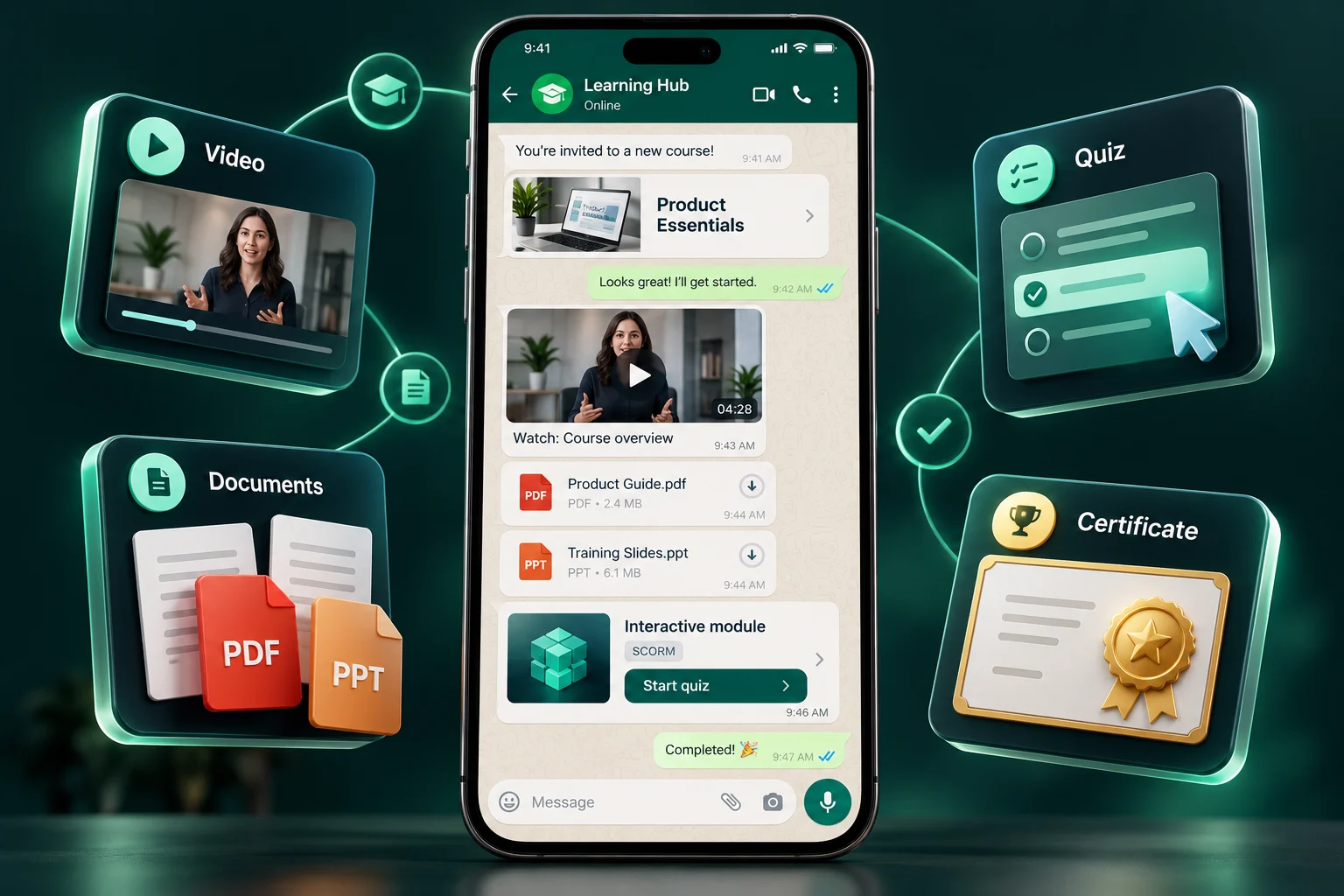
My WhatsApp LMS covers the entire training lifecycle — authoring, WhatsApp delivery, classroom sessions, assessment, certification and reporting.
At a glance
My WhatsApp LMS lets organizations build courses, deliver them to employees on WhatsApp, run classroom sessions, assess learning with quizzes and surveys, award certificates and badges, and report on completion — from one admin dashboard with role-based access.
The channel that makes My WhatsApp LMS different — training arrives where learners already are.
Send full courses to individuals or groups through approved WhatsApp templates, complete with videos and quiz links.
Learners who stall get friendly nudges automatically — no chasing people over email or phone calls.
Create and manage reusable WhatsApp message templates for course launches, reminders and announcements.
Review message delivery status, course send completion, and video link engagement in the dashboard. Message status and learning completion are separate signals.
Structure rich learning programs without wrestling with clunky authoring tools.
Organize content into subjects and lessons with attachments, estimated hours and points per lesson.
Use supported secure video hosting and access controls to help restrict access to lesson content. Protection depends on the configured hosting and delivery setup.
Import existing SCORM packages and keep the e-learning content you've already invested in.
Set passing percentages, limit attempts, randomize questions and handle reset requests through an approval flow.
Understand your learners before, during and after every program.
Create surveys, assign them to users or groups, and review individual and aggregate results.
Build custom forms with flexible field schemas for registrations, assessments and data collection.
Collect structured feedback on every trainer and session, with dedicated feedback response reports.
Combine online modules with in-person workshops in one program.
Schedule workshops and classroom sessions with trainers, locations and shared calendars.
Learners scan a QR code at the venue — attendance is captured with any attached forms, surveys or quizzes.
Review completion records using compliance training, KRI, and workshop reports. Your organization determines which records meet its reporting obligations.
Keep learners coming back with rewards they can show off.
Design certificate templates, preview them, and issue automatically on course completion or manually in bulk.
Create badges and allocate them to top performers. Points and learning streaks keep momentum going.
Let learners submit certificates earned elsewhere for review and inclusion in their training record.
Enterprise-grade control without enterprise-grade complexity.
Fine-grained users, roles, permissions and permission categories — every admin sees only what they should.
Organize thousands of learners into groups for bulk assignment, messaging and reporting.
Consolidated, course-wise, lesson-wise, quiz-wise, user-wise, trainer and compliance reports — all exportable to Excel.
A closer look at the learner experience
Explore realistic message previews for every step of your learning programme. Select a format to see the learner’s experience.
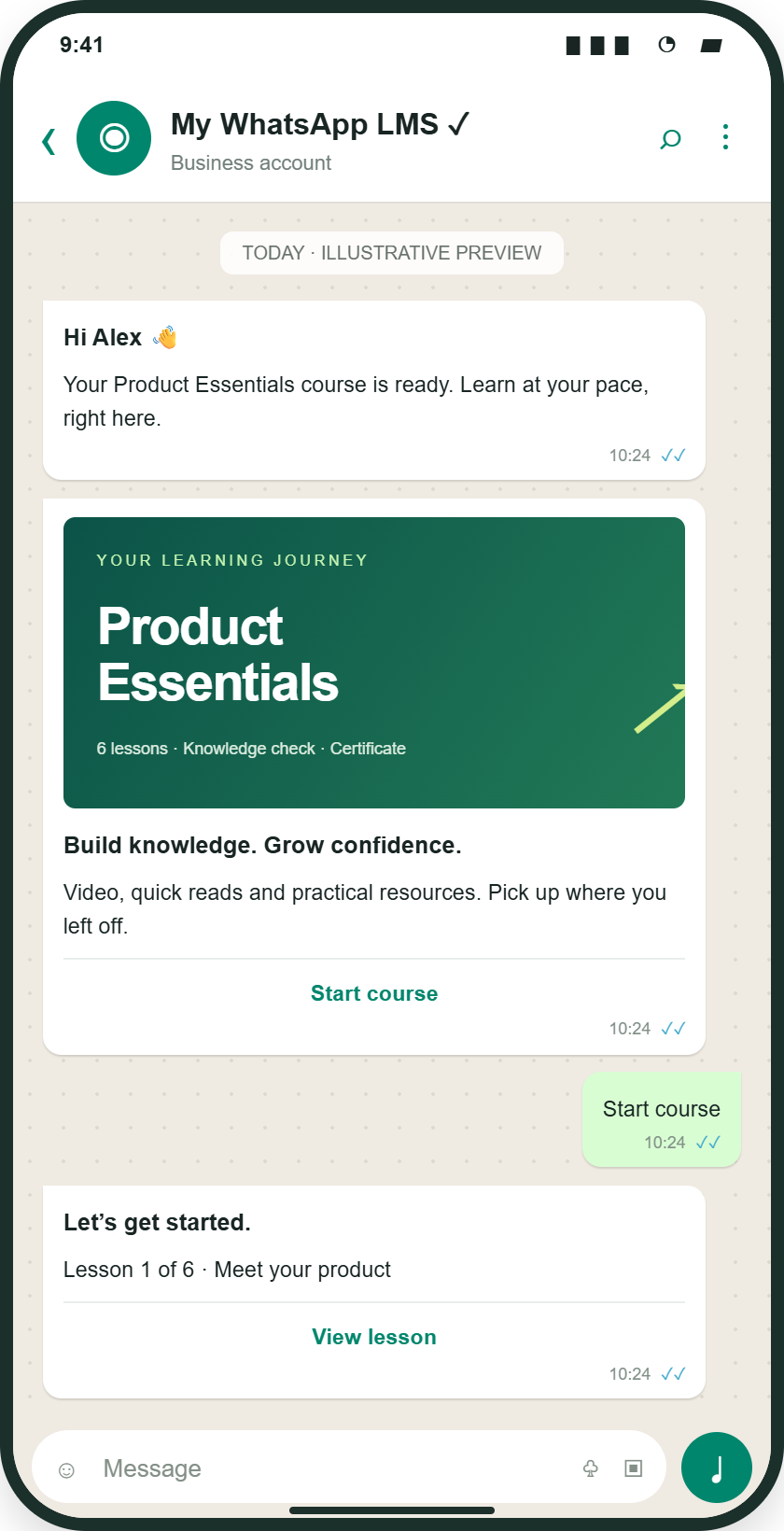
Receive a course invitation, start lessons and continue the assigned learning journey from WhatsApp.
Illustrative mockup · Sample content and results
Linked files and SCORM open in a web learning view.
Plan your rollout
A learning management system is most useful when course content, learner assignment, assessment, and reporting form one workflow. My WhatsApp LMS brings these tasks into an administrator dashboard while using WhatsApp as a delivery channel for employees.
Organize subjects and lessons, reuse supported SCORM packages, and add videos, documents, and quizzes. Start from approved material and review AI-assisted drafts before publishing.
Organize employees into groups and allocate relevant courses. Combine WhatsApp lessons with classroom events when a programme also needs live instruction or supervised practice.
Use course, lesson, learner, quiz, and workshop reports to identify incomplete work and knowledge gaps. Manage certificates and badges as part of your recognition process, with permissions controlling administrator access.
Create lessons for store procedures and product knowledge, assign them to new-joiner groups, add knowledge checks, and arrange a classroom orientation. Review course completion, quiz performance, attendance, and feedback together before deciding which employees need more support.
Illustrative workflow with sample content.| Signal | How to interpret it |
|---|---|
| Course and lesson progress | Identifies unfinished learning and helps administrators plan follow-up. |
| Quiz results | Checks understanding of the questions asked; use practical assessment for skills that a quiz cannot demonstrate. |
| Workshop and feedback reports | Adds attendance and learner feedback to the programme review. Export availability depends on the report. |
Common questions
WhatsApp messaging distributes messages. A WhatsApp LMS adds structured courses, learner assignments, assessments, completion records, and administrator reporting so learning activity can be managed beyond an individual conversation.
Start with a real training programme. Check content formats, group assignment, learner access, assessment options, classroom needs, permissions, and the reports you need. Ask for a demo using representative material rather than comparing feature counts alone.
A report provides training records for review. Whether those records meet a particular obligation depends on your programme, assessment requirements, recordkeeping rules, and applicable regulation. Your organization must validate those requirements.
The platform covers the full training lifecycle: WhatsApp course delivery with reminders and analytics, a structured course builder with SCORM and secure video, quizzes, surveys and forms, classroom event management with QR attendance, certificates and badges, role-based access control, groups and more than 15 reports.
Yes. You can upload SCORM packages alongside video lessons, documents and quizzes, so existing e-learning content can be reused inside a course.
Videos can use supported protected hosting and secure delivery links. These controls help restrict access; their protection depends on the configured hosting and access settings.
Yes. Design certificate templates, assign them to one or more courses, and learners receive their certificate when they complete the course. External certificates can also be recorded.
Role-based access control lets you define roles and permissions so administrators, trainers and managers only see the content and reports they are responsible for.
Reports include course-wise, lesson-wise, quiz-wise, user-wise and consolidated views, plus workshop, trainer, compliance and WhatsApp delivery reports. Many reports can be exported to Excel.
Still have a question?Talk to our team
Tell us about your team and goals. We will walk you through the workflows that matter to you.