Surveys & feedback
Ask better questions, get real answers
Surveys, custom forms and trainer feedback — created in minutes, assigned to exactly the right people, and analyzed without exporting a single spreadsheet.
- 90° & 360° feedback
- Native WhatsApp forms
- Response analytics
At a glance
How does My WhatsApp LMS handle employee feedback?
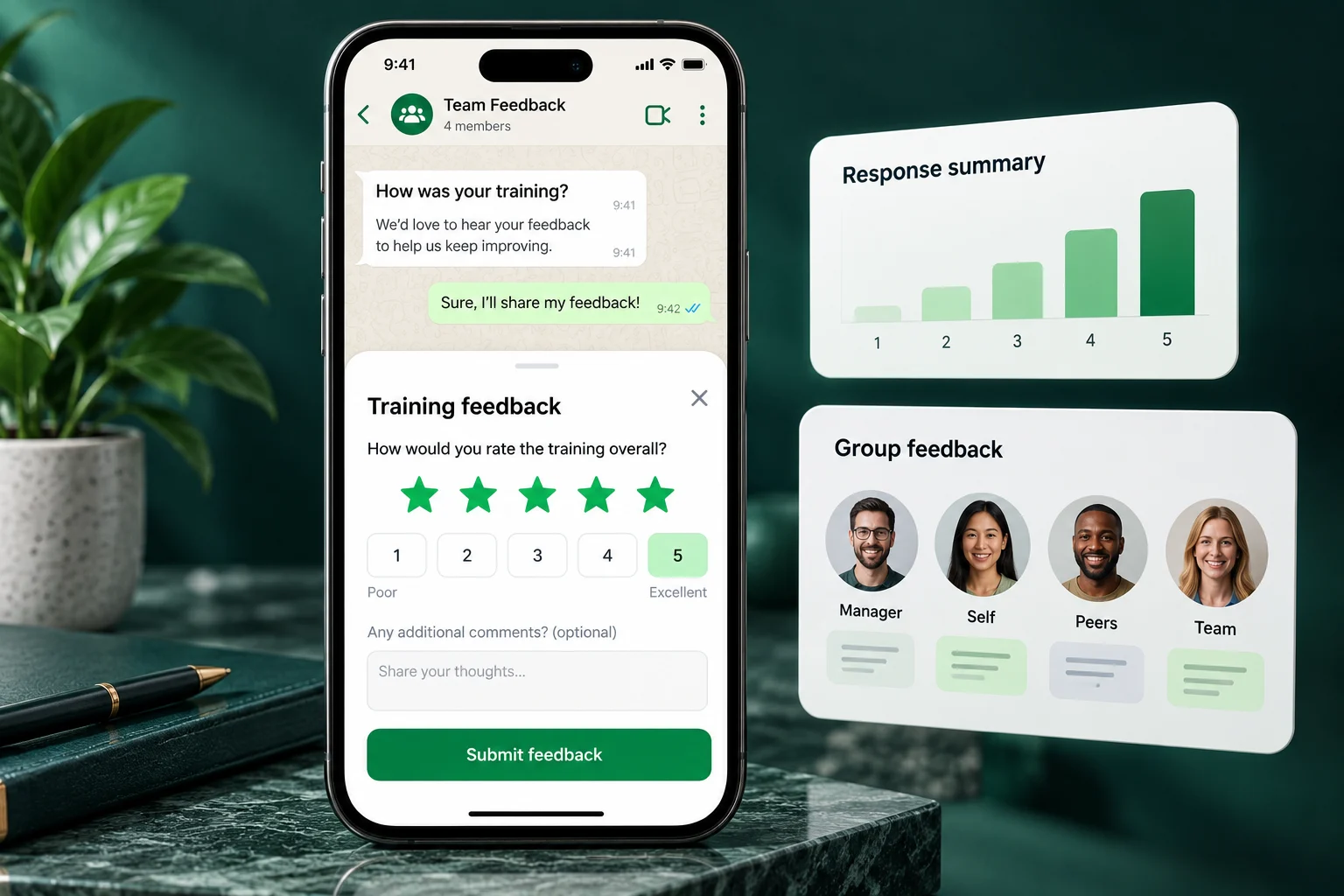
Administrators build surveys or forms, choose who should respond — individuals, groups, event attendees, or the reviewers in a 90-degree or 360-degree review — and send them by WhatsApp or the web. Responses flow straight into reports, so results are ready without manual spreadsheets.
- Ratings, choice and text questions
- Manager, self, peer and direct-report reviews
- Native WhatsApp survey forms
- Results in reports with exports
Flexible survey builder
Create surveys with the question types you need — ratings, multiple choice, open text — in minutes, not meetings.
Drag-and-drop forms
Need more than a survey? Build full custom forms with flexible field schemas for registrations and data collection.
Targeted assignment
Assign surveys to individuals, roles or whole groups. Every learner sees their pending assignments in one place.
Delivered where they'll answer
Distribute surveys alongside courses and classroom events, and use configured WhatsApp invitations and reminders to follow up with respondents.
Results and analysis
Review responses per learner or in aggregate. Spot trends across sessions, trainers and departments.
Attached to events
Link surveys and quizzes to classroom sessions so feedback is captured the moment attendance is scanned.
The full loop
From question to insight in one platform
Create a survey, assign it, collect responses and read the results in one flow. Learners track their pending assignments and past results from their own account — nothing gets lost in inboxes.
- Create, edit and duplicate surveys from the dashboard
- Learners see “My assignments” and “My results” views
- Responses feed directly into reports and exports
- Combine with quizzes for scored assessments
Post-training feedback
Measure how every course and workshop landed while the experience is still fresh.
Trainer evaluation
Structured feedback on every trainer with dedicated feedback response reports.
Compliance attestations
Collect policy acknowledgements through configured forms and review submitted responses. Confirm your evidence and recordkeeping requirements before launch.
Needs assessment
Ask teams what they need to learn next and plan programs backed by real data.
Event registration
Use custom forms to register participants for workshops and collect requirements upfront.
Pulse checks
Short recurring surveys keep a finger on engagement across the whole organization.
A closer look at the learner experience
Feedback that starts in a familiar conversation.
Preview a training survey invitation and a knowledge check as learners would see them on WhatsApp.
- Survey
- Quiz
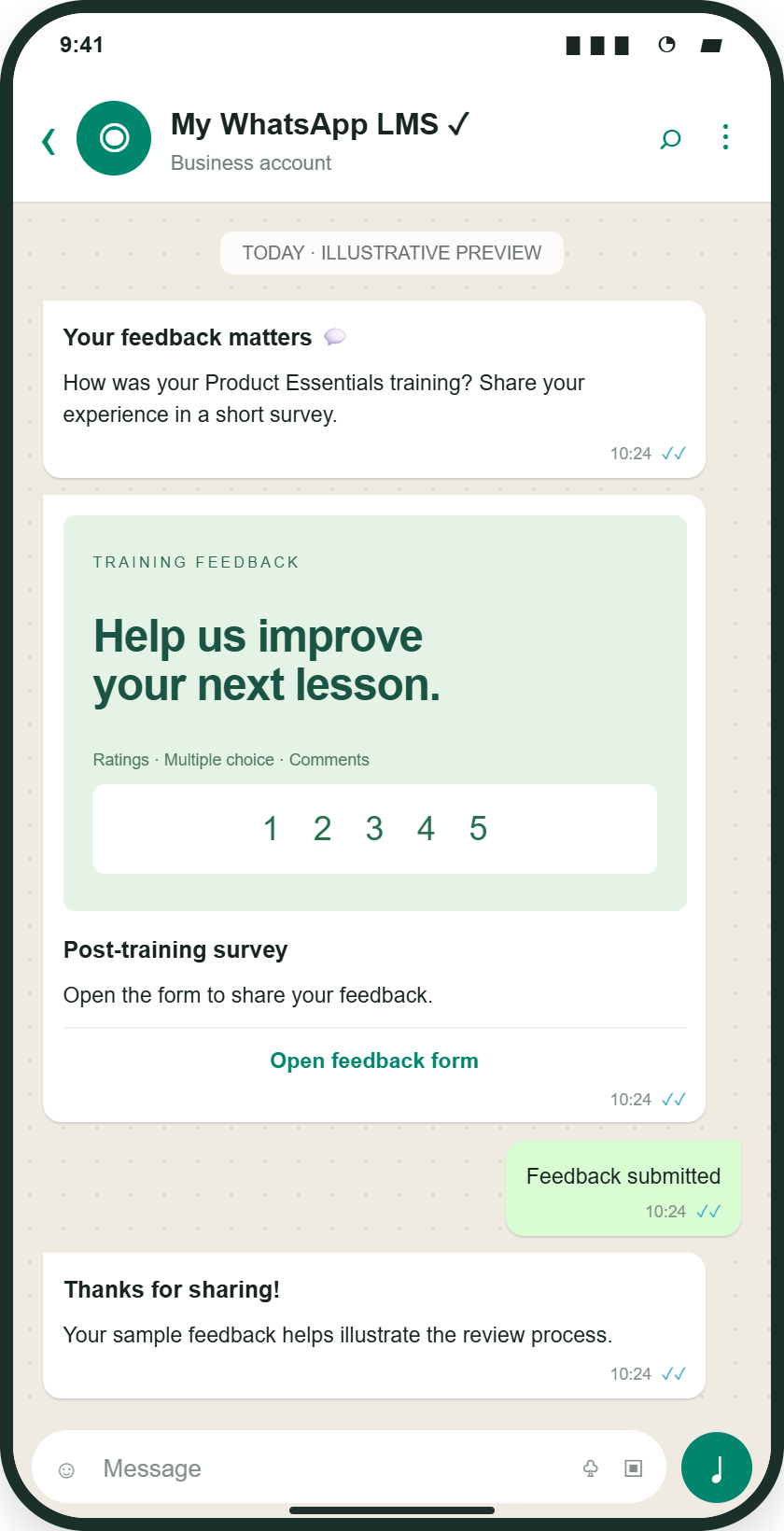
Open a configured WhatsApp feedback form with ratings, choice questions and comments.
Illustrative mockup · Sample content and results
Linked files and SCORM open in a web learning view.
Plan your rollout
Turn employee feedback into a clear development plan
Employee surveys collect opinions and experiences; knowledge quizzes assess answers against a scoring standard. My WhatsApp LMS supports surveys, forms, and structured reviewer allocation so HR and learning teams can choose the right method for training feedback or employee development.
- 01
Choose the purpose and questions
Define whether you need session feedback, a learning-needs assessment, or a 90-degree or 360-degree review. Use ratings for consistent comparisons and text questions for examples and context.
- 02
Allocate the respondents
Assign the survey to employees, groups, or relevant reviewers. For development reviews, identify the employee being reviewed and allocate manager, self, peer, or direct-report respondents as appropriate.
- 03
Review responses and agree actions
Check participation before interpreting results. Review ratings together with written comments, discuss the findings with the relevant people, and use the feedback to plan coaching, course changes, or follow-up learning.
View launch checklist and reporting details
Example: reviewing a branch-manager training programme
Collect session feedback to understand the training experience. Separately, run a development review with the chosen manager, self, peer, and direct-report perspectives. Compare feedback themes, identify a coaching priority, and agree a follow-up activity rather than treating a single rating as a complete performance judgement.
Illustrative workflow with sample content.What your team can measure
| Signal | How to interpret it |
|---|---|
| Response participation | Shows how much of the assigned audience has responded and where follow-up may be needed. |
| Question-level ratings | Helps identify patterns within the questions and audience selected; it is not a universal benchmark. |
| Written feedback | Adds context for interpreting ratings and choosing practical development actions. |
Prepare for launch
- A clear survey purpose and relevant respondent list
- Reviewed questions and reviewer allocations
- Published WhatsApp Flow and approved invitations for native WhatsApp delivery
Common questions
Survey and feedback questions, answered
How is a feedback survey different from a knowledge quiz?
A survey collects perceptions, experiences, or suggestions. A quiz checks answers against expected responses or a scoring standard. Use both when you need to understand the training experience and assess knowledge, but interpret the results separately.
Are employee surveys automatically anonymous?
Do not assume anonymity. Confirm respondent identity handling, permissions, and reporting visibility for your configured workflow before inviting employees, and clearly explain who can see their responses.
How should HR teams act on 360-degree feedback?
Review participation and the context behind ratings, look for themes across reviewer perspectives, and discuss specific examples. Agree a focused development action and follow-up plan. Feedback should support a considered review rather than replace human judgement.
Can employees answer surveys inside WhatsApp?
Yes. The platform supports native WhatsApp survey forms with ratings, single-choice, multiple-choice and text questions. Delivery requires a published WhatsApp Flow and approved invitation templates for your account.
What is the difference between 90-degree and 360-degree feedback?
90-degree feedback combines manager feedback with optional self assessment. 360-degree feedback can also include peers and direct reports. Administrators choose the employee being reviewed and allocate the people providing feedback.
More questions (3)
Who can a survey be assigned to?
Surveys can be assigned to individual employees, groups, or attendees of a training event. Learners see pending surveys under My assignments and completed ones under My results.
What question types are supported?
Surveys and forms support ratings, single-choice and multiple-choice questions, and free-text responses. Forms can be built with a drag-and-drop builder.
How are survey results analyzed?
Responses feed directly into survey reports with response statistics, and results can be exported. Surveys can also be combined with quizzes for scored assessments.
Still have a question?Talk to our team
Start collecting feedback that drives decisions
Tell us about your team and goals. We will walk you through the workflows that matter to you.